
Create Static Entities
Key Lesson: Static Entities provide consistent reference values that can be reused by Entities and Screens throughout an application.
Start building the minimum data model with two static entities: Currency and CostCenter. Both provide reusable reference data for the Purchasing application, so currencies and cost centers are selected from predefined entries rather than entered as free text.
Each Static Entity entry has three parts:
- Identifier: The code or object identifier used to reference the data in expressions, for example,
This.Currency.Usd. - ID: The identifier used to store and reference the data, for example,
usd. - Label: The value displayed to application users, for example,
USD.
After you enter the Identifier, ID and Label auto-populate. You only need to change them if you want different values. The tables below show the values to use for each entry.
1. Create the Currency Static Entity
Section titled “1. Create the Currency Static Entity”Currency provides the predefined list of currencies that can be assigned to purchase request items later in the tutorial.
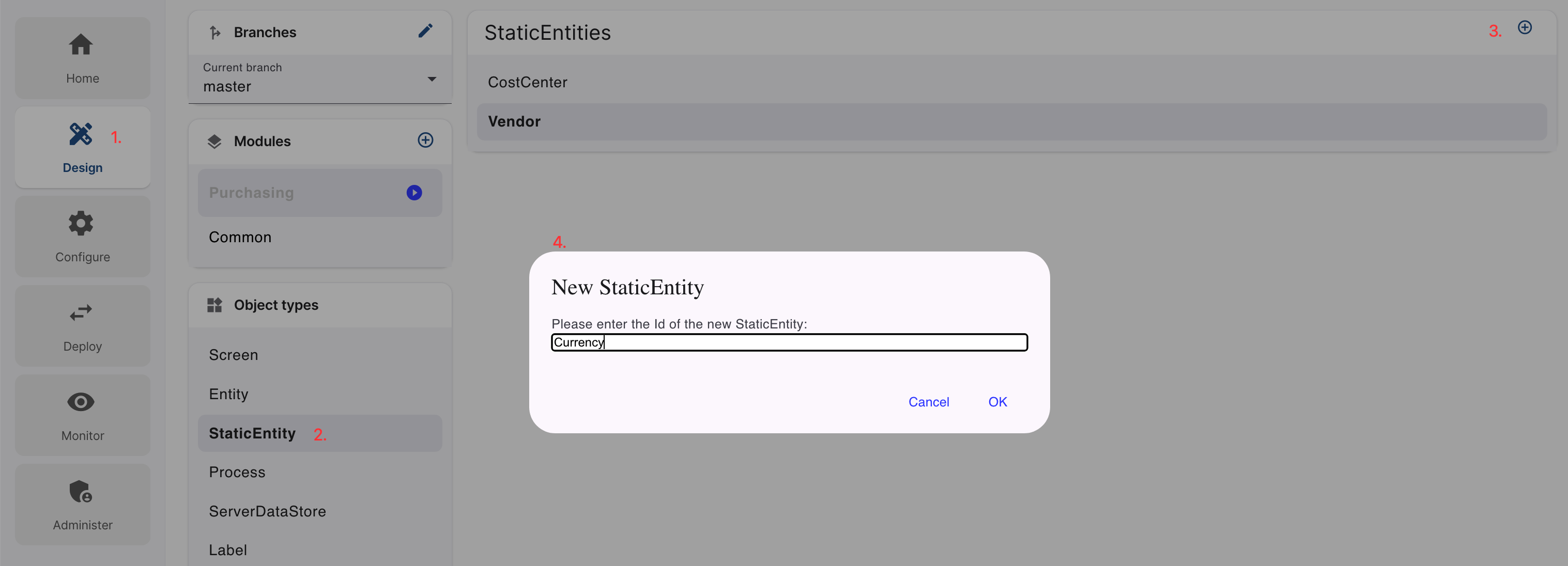
- Go to Design.
- Under Object Types, select StaticEntity.
- Select + to create a new Static Entity.
- Enter
Currency, then select OK.
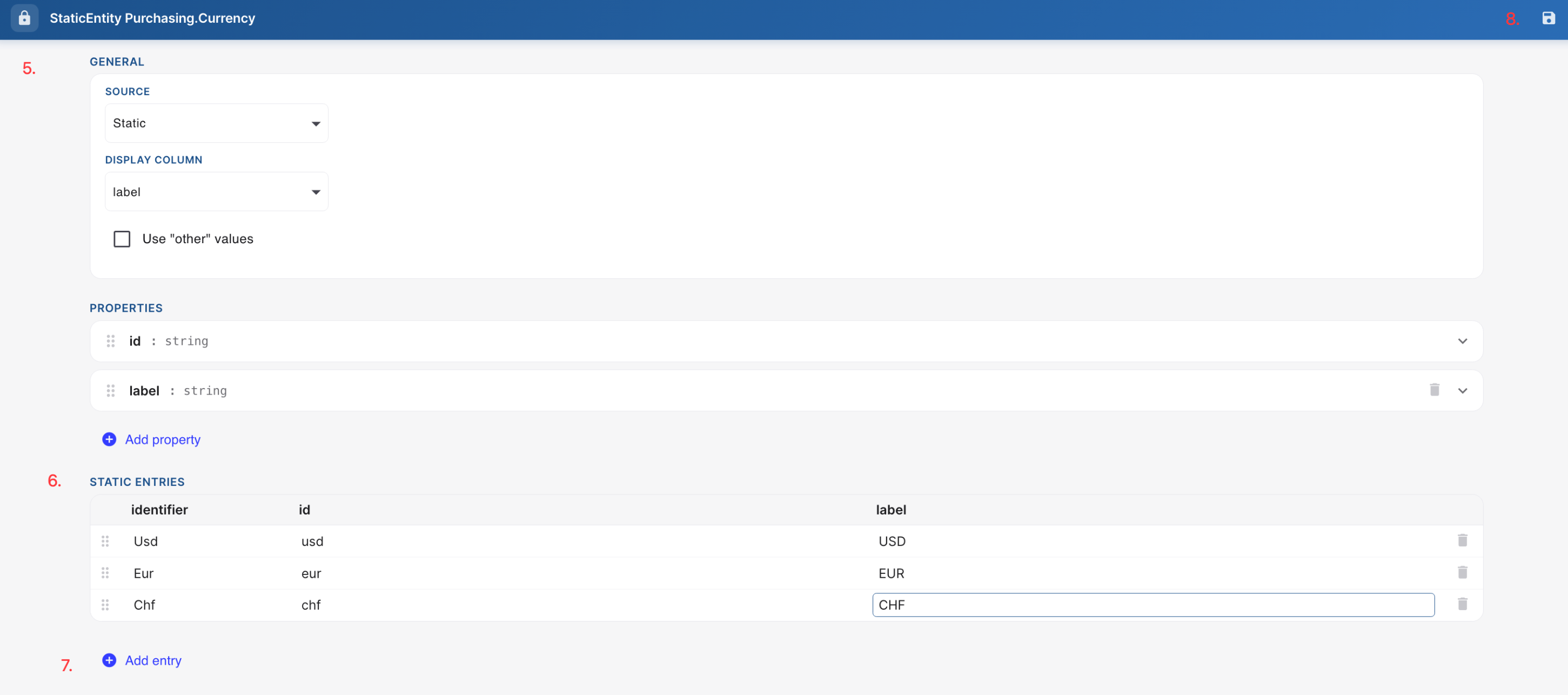
- When the Currency editor opens, leave the GENERAL settings at their default values.
- Under STATIC ENTRIES, click on the + Add entry button.
- Add the following entries:
| Identifier | ID | Label |
|---|---|---|
| Usd | usd | USD |
| Eur | eur | EUR |
| Chf | chf | CHF |
-
Save and close the editor.
2. Create the Cost Center Static Entity
Section titled “2. Create the Cost Center Static Entity”- Go to Design.
- Under Object Types, select StaticEntity.
- Select + to create a new Static Entity.
- Enter
CostCenter, then select OK. - When the
CostCentereditor opens, leave the GENERAL settings at their default values. - Under STATIC ENTRIES, click on the + Add entry button.
- Add the following entries:
| Identifier | ID | Label |
|---|---|---|
| Marketing | marketing | Marketing |
| Operations | operations | Operations |
| Finance | finance | Finance |
| IT | it | IT |
-
Save and close the editor.
After you save the Static Entities, the application name should briefly turn blue while Lowgile builds the changes, then green again when the build completes successfully.